 Firmware 2.2.0: DMX Goes Beta, and Our Biggest Release Since Launch

Firmware v2.2.0 ships today, and it is the biggest firmware release we've put out since launch. Three things headline it:
- DMX is here. The new IgorBox DMX controller drives a full DMX-512 universe of fixtures: moving heads, par cans, foggers, the works. It's in beta right now (more on that below).
- Shows got bigger and smarter. Large Show Support on the controller, plus the firmware side of show looping and chaining, so one trigger can drive a longer, sequenced experience.
- A month of hard reliability wins. Better controller-to-controller triggering on tricky networks and full support for modern IPv6-only networks.
And on the Studio side, the standout is that you can now build a show around an audio file: pick a file and the timeline is sized to it automatically.
DMX and the IgorBox DMX controller
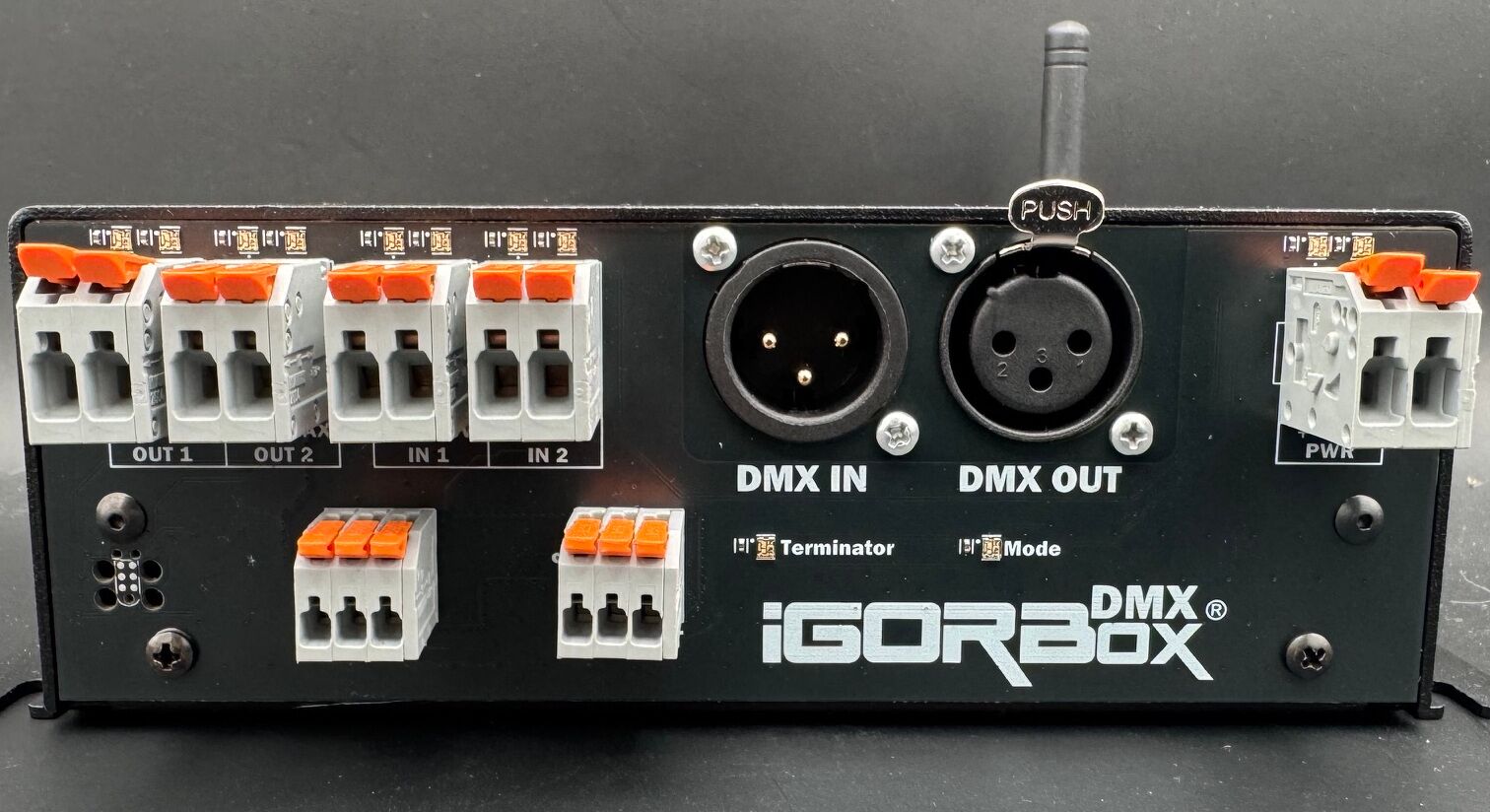
IgorBox can now control professional DMX lighting. If DMX is new to you: DMX-512 is the standard language that stage and effect lighting speaks. Par cans, moving heads, strobes, fog machines, flame effect controllers, and a surprising number of animatronic props all take their cues over a DMX cable. As of 2.2.0, IgorBox speaks it too, through a brand new controller: the IgorBox DMX.
It's a real, working product. We've shipped units to a group of beta testers who are integrating them into their haunts for this coming season, and the feedback has been great. We'll open it up for sale once the beta wraps and it's through final testing. In the meantime, the full documentation is already live if you want to see what's coming.
The IgorBox DMX puts a full universe of lighting (all 512 DMX channels) on the same timeline that plays your audio and fires your relays. One box, one show, everything in sync. Here's what shipped in 2.2.0 and the Studio to support it:
- Fixtures, not channel numbers. You patch fixtures by name ("Stage Left Par") from a fixture library, and author shows against those names. Rename a fixture or move it to a new address and your shows keep working.
- Manual control from the browser. Set a single channel or push a whole universe live from the Studio, no show required. Great for setup and testing fixtures.
- DMX in Logic Rules. A DMX Input block fires your logic when an incoming DMX value lands in a chosen range (react to another lighting console!), and DMX Fixture Hold and DMX Slot Hold blocks pin a fixture's state, or a single channel, from a rule until you release it. Perfect for escape room puzzles.
- Safe Zones™ put a hard floor and ceiling on a channel that the controller enforces against everything: shows, rules, and manual control. Your servo prop physically can't be asked to drive past its limits. Fixtures also go to a known safe state when the box is locked.
- Plays nice with your existing rig. Buffer mode sits between your lighting console and your fixtures, passing the console's signal through and overriding only the channels your IgorBox show uses. There's recording support too, so you can capture what another console is sending.
- Smart redeploys in the Studio. Deployed shows lock in their fixture addresses when you deploy them. If you later re-address a fixture, the Studio now detects every deployed show still pointing at the old addresses and offers a one-click redeploy, instead of leaving them silently driving the wrong channels.
- Totally new timeline tools for DMX. We've introduced some new concepts and track types in the timeline editor that make fixture channels more intuitive to edit: X/Y keyframes for moving heads, and proportional state clips for things like "strobe ranges".
The mystery of the possessed skull
A story from the beta, because it's too good not to share. For months we chased what looked like "DMX timing corruption on heavy shows": a servo-driven skull prop that would slowly lose its mind during big fades, grinding its servos past their stops until someone power-cycled it. I even had to replace some burned-out servos because of it. We tuned and tuned and tuned some more to make the DMX signal more and more rock solid and nothing seemed to help.
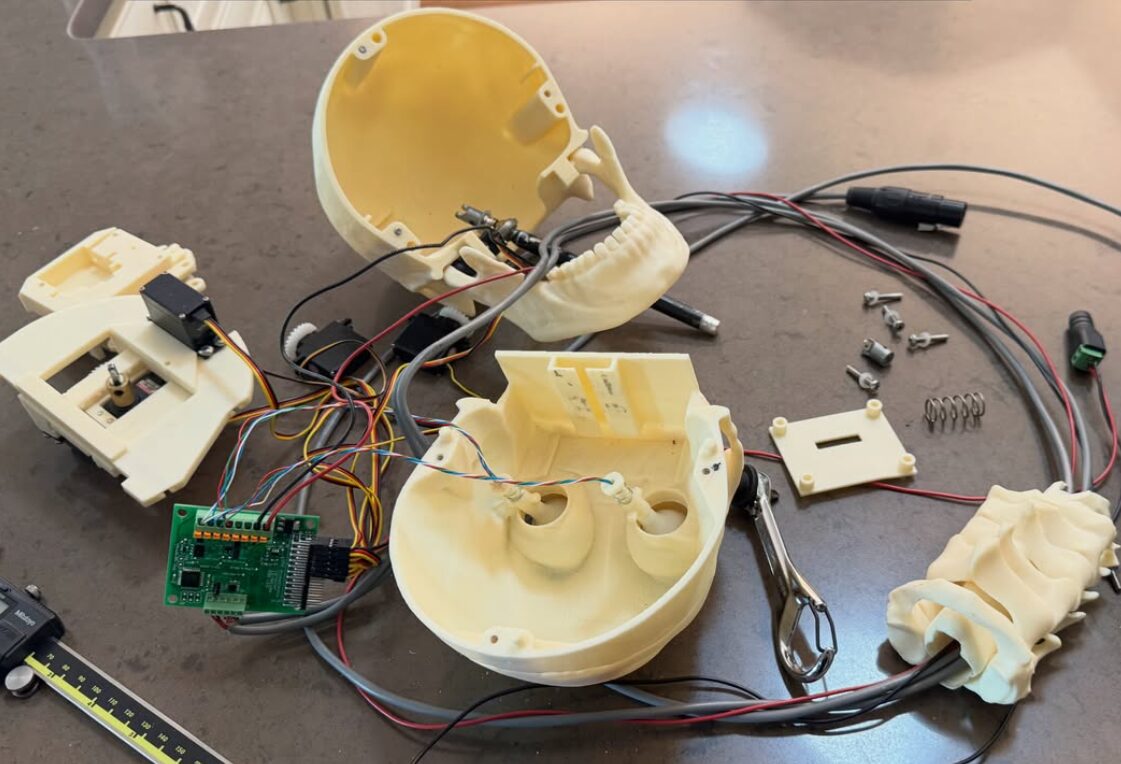
The real cause was much stranger. That particular skull fixture uses an undocumented DMX channel as a live programming channel. Whenever a light happened to be patched onto that address, fading the light was silently rewriting the skull's own settings, including its servo travel limits. It wasn't a bug in the timing at all. The fix is simple addressing hygiene (leave a gap after the skull), and it's exactly the kind of thing Safe Zones exist for. It's actually why we even built hardware Safe Zones!
Build a show around an audio file
This one is for the creators. Most shows start with the audio, so now the Studio does too:
- The create-show page has a new "Match length to an audio file" picker. Choose a file and the show duration snaps to the audio length, the show name prefills, and the audio track and clip are scaffolded for you. You land in the editor ready to program.
- The Media Library gets a matching "Create show from audio" shortcut on every audio file.
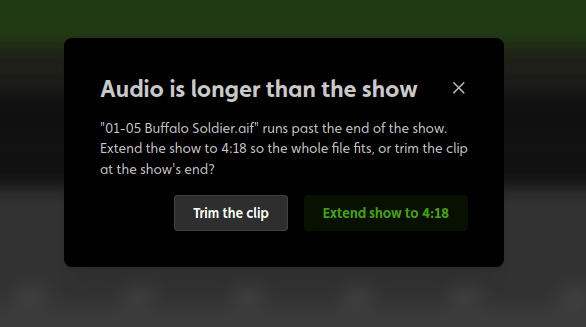
- And in the timeline editor, adding an audio clip that runs past the end of a show now asks whether you want to extend the show to fit or trim the clip, instead of silently cutting it.
Bigger, smarter shows
- Large Show Support. The show engine and download pipeline now handle much bigger shows. Between this and a great deal of memory optimization, there's real headroom for the kind of full universe shows DMX makes possible.
- Show looping and chaining, now on the controller. We showed off looping and chaining in last month's Studio update. Firmware 2.2.0 is the half that runs on your hardware: a show can repeat until something stops it, or hand off to the next show in a sequence, all handled on the box.
Reliability: the hard-won stuff
A big chunk of this release is the result of chasing real problems on real installs. Two stories drove most of it.
The network that looked perfectly healthy
We hit a site in the field where every laptop and phone worked fine, but not one IgorBox controller could reach the cloud and provision. Every screen anyone checked said the network was healthy. The culprit: the venue's internet connection was IPv6-only. IPv6 is the modern internet addressing system that most phones and laptops switch to seamlessly, and our controllers only knew the older IPv4 style. That used to be fine, because networks handed out both kinds of addresses (called dual stack), but internet providers have started going IPv6-only. To the boxes, a working internet connection simply didn't exist.
- IgorBox now supports IPv6-primary networks. Controllers work on the same modern networks your other devices already use, and nothing changes on traditional networks.
- Getting there meant a huge low-level change that took some serious testing to make sure we didn't break anything up the stack.
- Time sync improved. Controllers now ask multiple time servers instead of relying on a single one, and a box that already knows the time trusts its clock at boot instead of hanging. Some networks block time-sync traffic, and that used to wedge otherwise perfectly fine controllers.
Controllers that went silent to each other
The other story starts with a WiFi range extender. When one controller triggers a show on another, that message travels directly across your local network, box to box, like a shout to the whole room. At a site in the field, those triggers would work some days and not others: a trigger on one box wouldn't fire a show on another, one controller would seem "deaf" while its neighbors worked perfectly, and a reboot would fix it until it didn't. The culprit was an old Apple AirPort unit running as a repeater, quietly rebroadcasting the venue's WiFi. An extender splits the room in two: normal internet traffic passes through fine (so everything looked healthy), but the box-to-box shout often didn't make it from one side to the other. And since each controller picks an access point every time it powers on, the problem moved around.
Firmware 2.2.0 now sends controller-to-controller traffic in a way that survives most of these setups, and it's fully backward compatible with older firmware on the same network. Treat that as a safety net, though, not a plan: we wrote up why extenders and repeaters cause trouble and what to use instead, and a clean network is still the right foundation.
While we were in there:
- Fixed: a freshly set-up controller couldn't trigger other controllers until it was power-cycled. Every brand-new install hit this one until a reboot. It was a sneaky bug because it only happened once on a fresh provision... and now it's gone.
- Fixed a bug where a controller would keep running its show but be unreachable from the cloud until someone power-cycled it. (This was quite an adventure to figure out)
Audio, Bluetooth setup, and the smaller wins
- Fixed a rare mid-show crash that could restart a controller when audio started while the storage device was busy.
- Fixed the startup welcome-sound crackle that would happen sometimes.
- Bluetooth setup fixes. Bluetooth setup used to fail to find WiFi networks on a box that already had bad WiFi saved, which is exactly when you reach for Bluetooth setup, like moving a box to a new location. Fixed. Pair this with the IgorBox Connect app and moving a controller is genuinely painless now.
- Front and rear panel LED indicators standardized across the fleet (inputs, relays, DMX mode, terminator), so wiring a box or just finding the correct port at a glance is easy now.
Studio round-up
Beyond the show and DMX features above, the Studio picked up some genuinely useful things this month:
- Replace Hardware. If a physical box dies, you can now swap in a new box while keeping the same controller in your Studio. Every show, rule, trigger, fixture reference, and channel name that pointed at it just keeps working. No re-doing your programming because of a hardware failure. You'll find it on the controller's Details tab.
- Fixture import fix. Importing fixture profiles for complex multi-part moving heads (the kind with multiple beams or rings) used to fail. Now it works.
- Triggers API. The API now exposes input-based triggers that were previously invisible to integrations, alongside the named triggers it already returned.
- Smaller polish: social links in the footer, dashboard layout fixes (no more content shifting while cards load), cleaner API error messages, and more reliable behind-the-scenes connectivity between the Studio and your controllers. (There is so much technical back-end stuff we've done, it's crazy!)
Get the update
The Studio updates are live right now. Firmware v2.2.0 is rolling out today, and your controllers will show an "upgrade firmware" prompt on their overview page. Accept it when it's convenient. Show looping, chaining, and all the DMX features need v2.2.0 to work, and the Studio will tell you when a controller is still on an older version and something isn't supported on it.
As always, thanks for building wild things with IgorBox, and we are so happy we get to build such a cool product together!